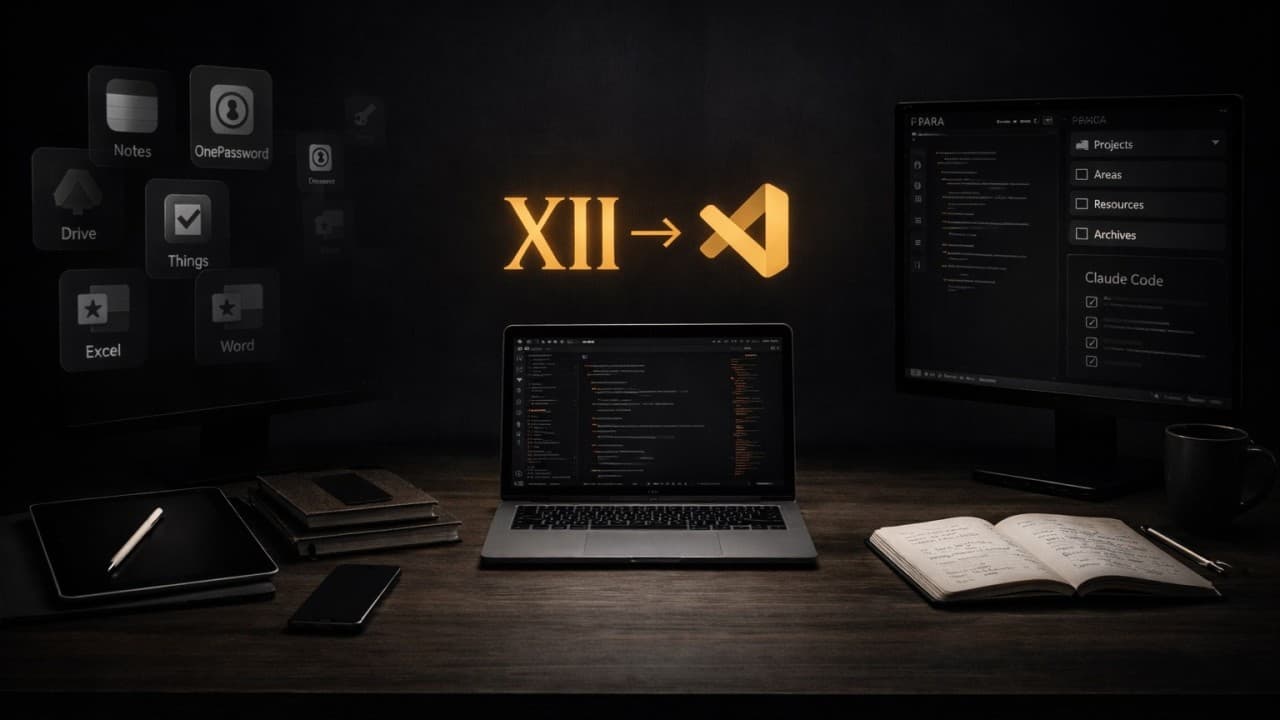
I used to run multiple tools.
Evernote for quick notes. Notion for project management. Apple Notes for random thoughts and everyday things. Google Drive for documents. Scrivener for long-form writing. Obsidian for knowledge management. Excel for spreadsheets. Word for client reports. Things for task management. OnePassword for secure files. Plus a handful of others I've forgotten I even installed.
Every app had its purpose. Every app had its place. And every app created friction.
Context switching cost me energy and minutes I didn't have. Files lived in silos I couldn't search across. Formatting broke when I moved content between tools. And worst of all—none of them spoke the same language as the AI agents I was starting to rely on daily.
Then things evolved naturally.
All twelve apps collapsed into one. Because I finally understood what I was actually looking for: home.
The Thing Nobody Tells You About Tools
For 25 years, I've been chasing the perfect setup.
I spent months customizing Sublime Text—getting the fonts right, the line height perfect, the colors exactly how I needed them. When Visual Studio Code came along, I migrated everything over. Operator Mono font for that beautiful code rendering. Icon packs so I could identify files at a glance. Keyboard shortcuts burned into muscle memory.
I thought I was optimizing for productivity. I was wrong.
I was building home.
There's a moment when a tool stops being a tool and starts being an extension of how you think. When opening it doesn't feel like launching software—it feels like walking into a room you designed yourself. Where everything is exactly where you left it. Where the light hits just right. Where you can finally think.
That's what Visual Studio Code became for me. Not because it's objectively the best editor—though 75 percent of developers would agree it's pretty damn good—but because I'd invested years making it mine.
And then AI changed everything about what I could do there.
The Grand Collapse
It started small.
GitHub Copilot arrived in 2021, and suddenly my "code editor" could write code. Neat party trick. I was excited when it generated the correct Facebook blue shade for a login button. That was the bar.
Then Windsurf came—the first agentic AI I used that could touch multiple files at once. Not just autocomplete. Actual architecture-level changes. The tool that was "just for coding" was now building entire features while I described what I wanted.
Then Claude Code showed up. A terminal-based agent that turned natural language into working software. I could have run it from any terminal. iTerm, Warp, whatever. But I ran it from VS Code's integrated terminal instead.
Because VS Code felt like home. And I didn't want to leave.
That's when the metamorphosis begun.
I wasn't just coding in VS Code anymore. I was writing Product Requirement Documents in markdown. Building Mermaid diagrams to explain complex workflows to clients. Exporting beautifully formatted PDFs that made people say "this is the best-written document I've ever received as a CEO."
I was managing my entire knowledge base through markdown files—using the PARA method (Projects, Areas, Resources, Archives) that Tiago Forte teaches in Building a Second Brain. I'd tried Obsidian for this. Great tool. Couldn't stand working in it. Missed VS Code too much.
So I just...pointed VS Code at my Obsidian folder. Tweaked one setting so markdown files opened directly in preview mode. Suddenly I had decades of notes, research, and knowledge at my fingertips—searchable, navigable, accessible to Claude Code agents who could help me find exactly what I needed.
Email workflows? Running through Claude Code from the terminal.
Online research? Same terminal, different agent.
Client presentations? Markdown files with Marp, rendered as slides, exported as PDFs.
Task management? Markdown files with checkboxes, automated through scripts.
The convergence was complete. Twelve apps. One workspace. One interface I'd spent years perfecting.
Not because VS Code was designed to do all of this. Because I designed my environment to do all of this—and VS Code was flexible enough to let me.
The Voice Revolution
Here's the part that surprised me most.
For decades, I typed everything. Every email, every document, every line of code, every instruction to AI. Typing was thinking. The keyboard was the interface between my brain and the machine.
Then I discovered voice.
Not Siri. Not dictation in the traditional sense. Tools like Monologue that let me speak naturally and get clean, structured text. At first I still reached for the keyboard—old habits. But lately? I use voice for almost everything significant.
Short commands, quick prompts—sure, I'll type those. But anything remotely complex? Anything worth saying? I speak it. The words flow faster. The ideas come clearer. And the AI agents don't care how the input arrived — they understand natural language either way.
This matters more than it sounds.
Because the shift from typing to speaking is the shift from "using a computer" to "thinking out loud with a very smart assistant who happens to live in your terminal." It removes friction I didn't know existed. And it works seamlessly inside VS Code, where everything else already lives.
The Napoleon Hill Principle
There's a passage in Think and Grow Rich that changed how I think about professional documents.
Napoleon Hill wrote about helping clients prepare job applications—not resumes, but "briefs." Bound documents. Professionally lettered. Printed on the finest paper. Researched so thoroughly that they demonstrated not just qualifications but genuine understanding of the prospective employer's business.
He wrote: "Remember that it is not the lawyer who knows the most law, but the one who best prepares his case, who wins. If your 'case' is properly prepared and presented, your victory will have been more than half won at the outset."
Then this line: "I have helped to prepare briefs for clients which were so striking and out of the ordinary that they resulted in the employment of the applicant without a personal interview."
This was 1937. Before the internet. Before AI. And Hill was already teaching that presentation quality matters as much as content quality. That neatness indicates you're a painstaking person. That going beyond what's expected doesn't just get you noticed—it gets you respect.
I think about this constantly when I build documents for clients.
Most consultants send a Word doc with default fonts, standard formatting, maybe a logo at the top. Professional enough. Forgettable.
I go further. Custom serif fonts — clean, readable, elegant. Proper typographic hierarchy. Mermaid diagrams that turn complex processes into clear visuals. Markdown syntax that AI agents help me perfect, then export through a VS Code extension as a gorgeous PDF that looks like it came from a design studio.
One client told me it was the best-written document that had ever landed in his inbox as a CEO. Not because the content was revolutionary—because the care showed. Because every detail said someone gave a damn.
This is what VS Code enables now. Not just coding. Not even just writing. The ability to craft anything with the same attention to detail Hill was teaching in 1937—except now I have AI agents helping me do it faster than I ever could alone.
The lawyer who best prepares his case still wins. The difference is that now, with the right setup, preparing that case takes hours instead of weeks.
The Setup Is Simple
My screen splits into three sections.
Left: File explorer. My PARA folders—Projects, Areas, Resources, Archives. Everything I might need, organized not by topic but by actionability. The stuff I'm working on now lives at the top. Reference material sits further down. Archives are out of sight until I need them.
Center: The editor. Where markdown files open in preview mode by default. Serif fonts, dark background for editing, clean white background for PDFs I share. This is where I read, write, and think.
Bottom: Terminal. Claude Code lives here. I speak or type instructions. It reads my files, searches my knowledge base, writes code, generates documents, researches online. Everything happens in this one window.
Two keyboard shortcuts do most of the heavy lifting. Command-B toggles the file explorer on and off. Command-T toggles the terminal. I can go from full-screen reading mode to full coding mode to full thinking mode in half a second.
This sounds simple because it is simple. The complexity isn't in the setup. It's in the years of small decisions that got me here. The fonts I chose. The shortcuts I learned. The markdown extensions I installed. The way I configured preview rendering.
AI didn't build this for me. AI amplifies what I built.
It Works for Business. It Works for Code.
I need to say this directly because people assume VS Code is "for developers."
It's not. Not anymore. Maybe it never was.
I juggle business strategy, client proposals, financial planning, content creation, research, and software development daily. Some days I write zero lines of code. Some days I write thousands. VS Code handles both. Seamlessly.
The reason is markdown.
Markdown is the universal language of AI collaboration. It's simple enough for anyone to learn in ten minutes. Powerful enough to structure complex documents. Readable as plain text. Gorgeous when rendered. And every AI model on the planet understands it natively.
When I write a business proposal, I'm writing markdown. When Claude Code builds a feature plan, it outputs markdown. When I create a diagram to explain a process to a non-technical client, I'm writing markdown that renders as a visual through Mermaid.
One language. One tool. Every use case.
You don't need to be a developer to make this work. You need to care enough to invest the time upfront — learning markdown syntax, installing a few extensions, customizing the aesthetics so it feels like your space.
Four times the effort—ten times the return.
Why This Matters Now
We're living through a moment where execution is no longer the bottleneck. AI agents can write code, draft documents, research topics, build presentations, analyze data. The cost of creating things has collapsed to near zero.
What hasn't collapsed is judgment. Taste. The ability to look at something and know whether it's good.
That's where the home base concept becomes critical.
When you've spent years building an environment that fits how you think—when you've customized it to the point where it feels like an extension of your mind—you work differently. Faster, yes. But more importantly, better. Because you're not fighting the tool. You're collaborating with it.
And when you add AI agents into that environment, you're not just "using AI." You're conducting an orchestra where every instrument is perfectly tuned and you know exactly when to bring each one in.
The people who will thrive in the next decade aren't the ones with the newest tools. They're the ones who built home bases so solid that AI can amplify everything they already do well.
Where You Are Now
If you're reading this and thinking "I don't have 25 years to invest in a setup"—you're right. You don't.
But you're also misunderstanding how this works.
You can build a baseline setup in one or two weeks. Get the tool installed. Learn the essential shortcuts. Add a few extensions. Make it functional. That's the easy part.
The real work is what comes after. It's never finished.
I still observe how I work. I still do introspection. I still notice the small frictions—the thing that takes three clicks when it should take one, the file I open ten times a day that should have a shortcut, the formatting I repeat manually that should be automated.
Then I think about the solution. And I apply it.
Here's one example. I run three monitors. Multiple VS Code windows open across them. Different projects in each one. Dozens of files visible at any moment. When I need to focus on a single markdown file I just created, all that visual noise becomes friction.
So I installed HazeOver. One keyboard shortcut. Everything dims except the active window. Suddenly it's just me and that one file. Perfect focus. Perfect flow.
That's the kind of micro-optimization you don't do in week one. You do it in year three when you notice the distraction, identify the pattern, and care enough to fix it.
That's how home gets built—not in a sprint. Through careful attention over time. Through noticing what slows you down and caring enough to fix it.
The difference between week one and year ten isn't that you're "done." It's that the friction keeps getting smaller. The speed keeps getting faster. The quality keeps getting better. Because you never stopped paying attention.
Then add AI.
Not as a replacement. As an amplifier. Point it at your files. Let it search your knowledge base. Give it access to your context. And watch what happens when you stop jumping between twelve apps and start working from one place you designed yourself.
The convergence isn't about technology. It's about intention.
I didn't set out to collapse twelve apps into one. I set out to build a space where I could think clearly, work quickly, and create things that mattered.
VS Code just happened to be flexible enough to grow with me.
Your home base might look different—different tool, different layout, different aesthetic. That's fine. What matters is that you build it deliberately, invest the time to make it yours, and let AI amplify what you've created.
Because the future doesn't belong to people with the best AI. It belongs to people with the best foundations—the ones AI can multiply into something extraordinary.


Comments
No comments yet.